|
Report list
|   |
The report list shows the reports for surveys to which the user has access. It includes public reports and reports for which the user has analyst privileges for all the surveys for the report.
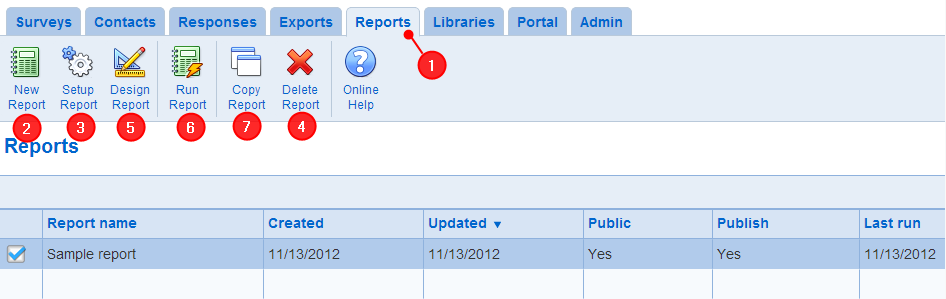
- 1. Accessing the report list: The report list is available in the Reports tab in the ribbon menu
- New Report: To create a new Report, use the New Report tool. Note that there is no security restriction on the New tool. However, the user needs analyst privileges to the surveys of interest to add the surveys to the report. See also Add or set up report.
When a new report is created, a section is automatically added to the report.
- Setup Report: To set up a report, select the report and use the Setup Report tool.
See also Add or set up report.
- Delete Report: To delete a report, select the report and use the Delete Report tool. Once a report is deleted, it cannot be recovered
- Design Report: To edit the content of a report, select the report and use the Design Report tool.
See also Report section list
- Run: To run a report, select the report and use the Run report tool. The report is run based on all of the current data for the survey. To run a report (e.g., an assessment report) on a single response, identify the response in the Browse responses screen, go the response details screen and run the report from the screen.
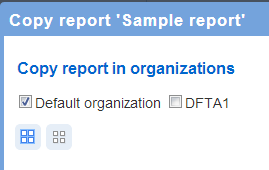
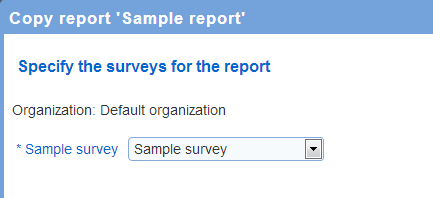
When copying a report, the surveys in the copy that correspond to the surveys is original report can be specified. This function allows creating a copy of a report to surveys related but not identical to the surveys in the report being copied. When the surveys for the copy are different from the surveys in the report being copied, questions are related first by page and then by short name or by page and full name if the short name is not available. Scores are related through their system assigned keys. A conversion log is available in the report options screen of the report copy that identifies any issue encountered while creating the copy of the report.
See also How to work with tables