Novi Survey Home
|
Report design
|   |
The report detail shows the report elements in a report section. The report detail is shown in the lower section of the report section list.
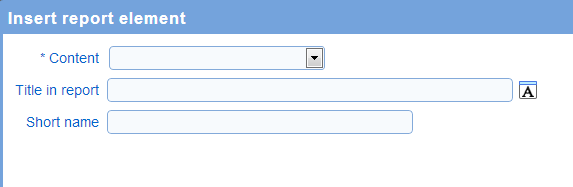
- Content: The type of data shown by the report element. The types on content available are described here.
- Title in report: The title shown for the report element in the report
- Short name: The name used to describe the report element in the report design screen. The short name is not shown when the report is run.
Report elements
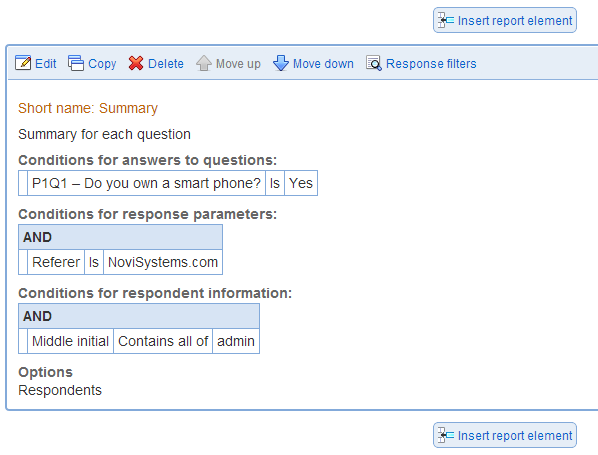
Each report element is shown in the order. The report element summary shows the filters to apply to responses, respondents, and parameters for the report element as well as which items should be shown in the report element.
- Edit: Modifies the report element
- Copy: Creates a copy of the report element immediately below the report element being copied
- Delete: Deletes the report element. The deletion cannot be undone.
- Move (up, down): Move the report element relative to the other report elements
- Response filters: Defines filters for the responses to show in the report for the report element