Novi Survey Home
|
Edit report section
|   |
This screen contains the fields to set the title, introduction, and conclusion for a report section.
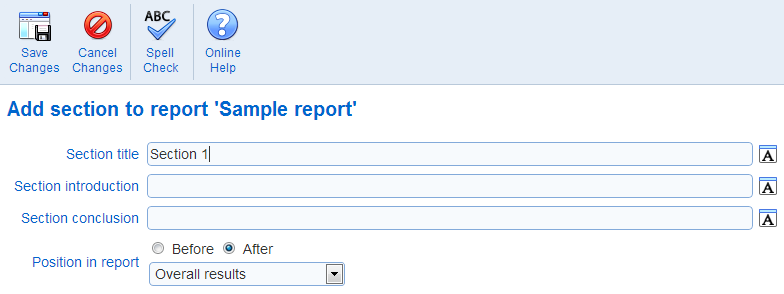
- Section title: The title for the section. The title is shown in the report at the beginning of the section.
- Section introduction: The introduction for the section. The introduction is shown immediately after the section title in the report.
- Section conclusion: The conclusion for the section. The conclusion is shown at the end of the section title in the report.
- Position in report: Sets the position of the section in the report. This option can be used to move a section to a different position with the report.
See also How to use the rich text editor, How to spell check the content of a page