Novi Survey Home
|
Templates - Rating
|   |
The ranking tab contains parameters that affect the appearance of rating questions.
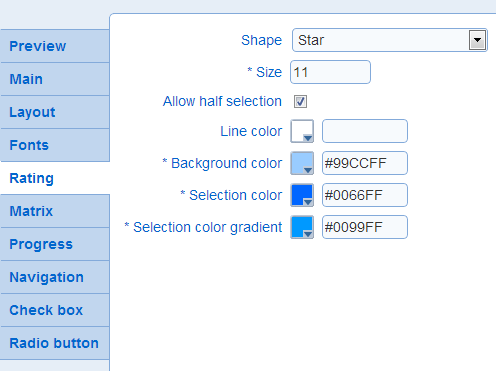
- Shape: The type of shape to display in the preview of the template. Note that the shape to use in actual rating questions can be defined at the level of the question.
- Size: The size in pixel for the shape. The value must be between 5 and 15, inclusive.
Examples:
size 8: 
size 11: 
size 15: 
Example:  versus
- Line Color: The color of the line around the perimeter of the shape. If no line color is defined, no line will be drawn around the perimeter of the shape.
- Background color: The color to use for unselected shapes
- Selection color: The color to use for selected shapes
- Selection color gradient: The color to use to create a gradient of color when the shape is selected. In the gradient, the selection color gradient defines the color at the top left corner of the shape. The Selection color (see above) defined the color at the bottom right corner of the shape.
Example:
Red Selection color gradient and blue Selection color: 