Novi Survey Home
|
Templates - Fonts
|   |
The appearance of text in survey can specified in the template. The fields in a survey for which the appearance of the text can be controlled are shown in the figure below.
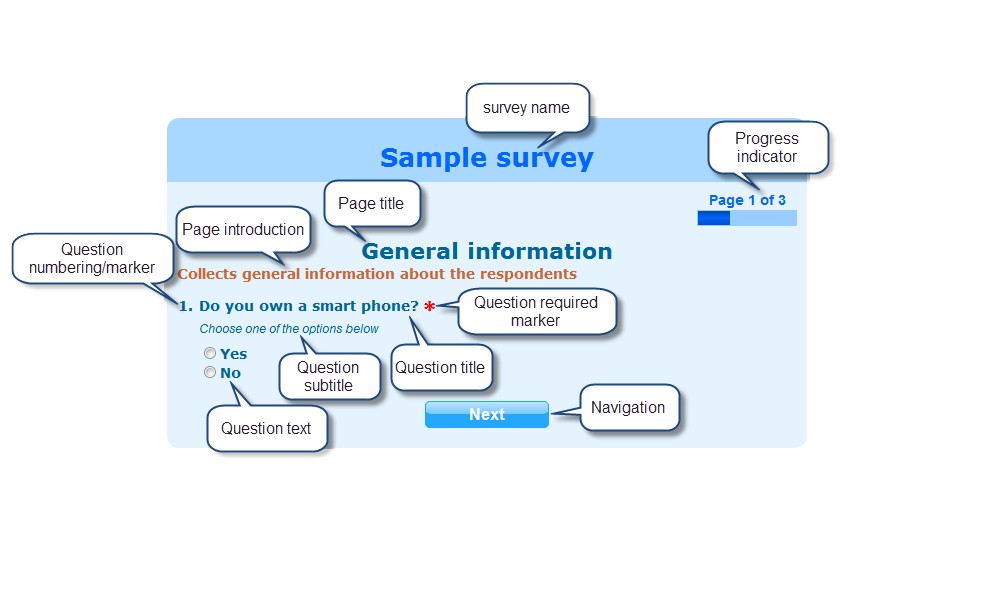
There are several fields for each text area that defined the appearance of text in surveys.
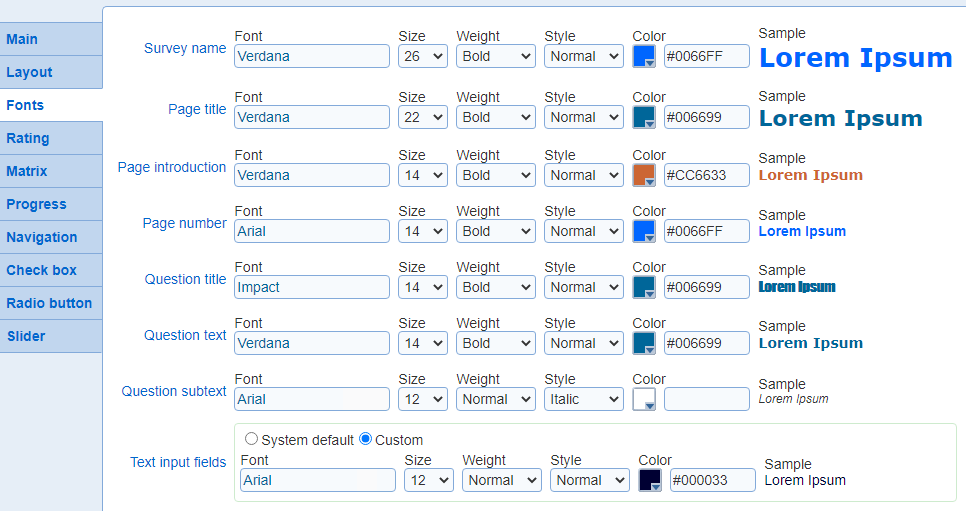
- Font: The name of the font for the text
- Size: The size is pixel for the font
- Weight: The weight (i.e., thickness) for the font
- Style: The style for the font
- Color: The color for the text
- Sample: Shows a sample piece of text for the chosen settings