Novi Survey Home
|
Popups, Javascript, Cookies
|   |
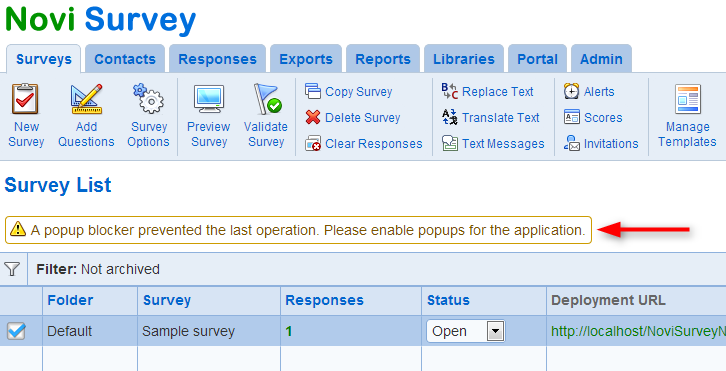
- Pop-ups: Throughout the application, several tools and functions rely on pop up windows. Note that pop up blockers (either directly from the browser or as add-ons) must be configured to allow pop-ups from the application. If a pop up blocker prevents a pop up from the system, a warning message will be display below the menu. You will need to enable pop-ups to use the system.
- Javascript: Javascript must be enabled in the browser to use the system. If Javascript is not enabled, an error message will be displayed at the top of the window.
- Cookies: Cookies must be enabled to use the system. If cookies are not enabled, an error page is displayed. Note that respondents can take surveys even if cookies are disabled for their browser.