Novi Survey Home
|
Library list
|   |
The library list shows the libraries in the current organization. All logged in users can view the list of libraries in their organization and all global libraries. Creation and modification of libraries is restricted to users with the appropriate privileges (see below).
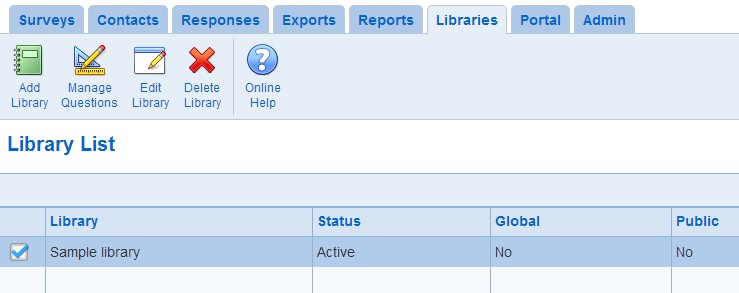
- To access the library list, click on the Libraries tab in the ribbon menu
- Manage Questions: To manage the question and visual elements in the library, use the Manage Questions tool. Questions in a library are managed in a manner similar to questions in pages for surveys.
- Edit Library: To set up the options an existing library, select the library and press the Edit Library tool. To edit the library, you must be either an owner of the library or the library must be public.
- Delete Library: To delete a library, select the library and press the Delete Library tool. All questions and presentation element in the library will be deleted permanently. You will be required to confirm that you want to delete the library before the deletion occurs. To delete the library, you must be an owner of the library or the library must be public.